
📚 Want a real book to hold and support my work? Check out my books here.
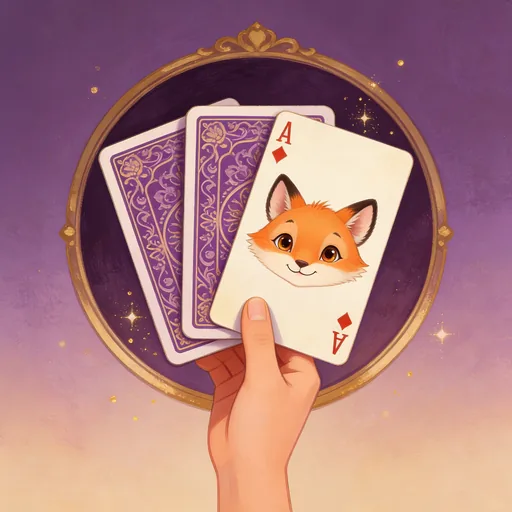
How to Play Flip Match
Flip Match is my "quick ten minutes" game. It's a classic memory matching game with a voice-first twist — you flip cards by calling out chess-style coordinates like "A1" or "flip B3." Match all the pairs before time runs out. Easy difficulty is untimed and gives you three hints. Medium adds a four-minute timer. Hard is an eight-by-eight board, five minutes, one hint.
I called it Flip Match on the Alexa side because "Memory Snap" is a crowded invocation phrase. Same game either way. If you've got a couple minutes between tasks, this is the one.
Getting Started
On Alexa
Say: "Alexa, open flip match"
Alexa starts you on MEDIUM difficulty with the Animals theme by default. Say "start game" and then flip cards by calling out coordinates.
On the Web
Visit games.llitd.com and type commands in the input box. The web version shows the full board at a glance and lets you click cards instead of speaking. Same scoring, same leaderboard.
Key Differences
| Feature | Alexa | Web |
|---|---|---|
| Input | Voice commands | Text commands |
| Game state | Described verbally | Visual panels |
| History | Limited | Full scrollback |
| Chat/Social | Full support | Full support |
Same save data, same world — switch freely between platforms.
Before You Launch on Alexa
Heads up: Alexa routes your voice command to whichever enabled skill best matches what you said. If you've got an unrelated skill with a name close to "flip match," she may send you there instead. Two minutes of setup now saves that headache.
Enable the Right Skill
The official Flip Match skill is by Lincoln Cole. To enable it:
- Open the Alexa app on your phone.
- Tap More → Skills & Games.
- Search "Flip Match".
- Open the one by Lincoln Cole and tap Enable.
Disable Conflicting Skills
If the wrong skill launches when you say the invocation, that means another enabled skill has a similar-sounding name and Alexa routed there instead. Go to More → Skills & Games → Your Skills, find the unrelated skill, and tap Disable. You only need the Lincoln Cole version enabled.
Verify It's Working
Say "Alexa, open flip match." If the first words you hear welcome you to Flip Match, you're in the right place. If Alexa hesitates or opens the wrong thing, run through the enable/disable steps above.
Basic Commands
These work everywhere, regardless of which game you're in:
| Command | What It Does |
|---|---|
| help | Shows available commands for your current situation |
| continue | Resume where you left off |
| repeat | Hears the last message again (essential on Alexa when audio cuts off) |
| exit / quit | Save and exit |
| main menu | Return to the main menu |
| report bug | Submit a bug report directly from inside the game |
| submit feedback | Send feedback to the dev (that's me) |
How the Board Works
The game uses chess-style coordinates:
- Columns are letters: A through D on the 4×4 board, A–F on 6×6, A–H on 8×8.
- Rows are numbers, starting from 1 in the top-left.
- Case doesn't matter:
a1andA1are the same. - "flip" is optional: saying "A1" works the same as "flip A1."
Difficulty Levels
| Difficulty | Board | Pairs | Hints | Time Limit | Par Time | Score Multiplier |
|---|---|---|---|---|---|---|
| EASY | 4×4 | 8 | 3 | None | 60s | 1.0× |
| MEDIUM | 6×6 | 18 | 2 | 4 minutes | 120s | 1.5× |
| HARD | 8×8 | 32 | 1 | 5 minutes | 150s | 2.0× |
Completing under par earns a +100 bonus. Default difficulty is MEDIUM.
Themes
Four themes change what the cards depict:
- Animals — the default, cute and wild animals
- Flowers — blossoms and gardens
- Food — delicious foods and treats
- Transport — vehicles and ways to travel
Commands
| Command | What It Does |
|---|---|
| start game | Start a new game |
| flip A1 / A1 | Flip the card at coordinate A1 |
| hint | Reveal a matching pair (costs -50 points) |
| status | Check your score, matches, and time remaining |
| race status | Check progress in Speed Race multiplayer |
| pass turn | Pass your turn in Team Snap multiplayer |
| achievements | View unlocked achievements |
| leaderboard | See the top scores |
| settings | Change difficulty or theme |
| help | Command reference |
| quit | End the current game |
Tips and Tricks
1. Play on EASY first. It's untimed and gives you three hints. Learn the board dimensions and the coordinate system before time pressure enters the picture.
2. Flip in patterns. Random flipping is a trap. Work the board systematically — same row, then same column — so you build a mental map of what's where.
3. Watch your streaks. Matching two pairs in a row triggers a streak bonus. If you're sure of one match, set up a second match right after to stack the bonus.
4. Hints cost points. A hint is -50 points. Worth it when you're stuck. Not worth it when you could find the pair with one more careful flip.
5. Completing under par is a +100 bonus. That bonus survives the score multiplier on Medium and Hard. Worth the extra focus once you're comfortable with the board.
6. Try all four themes. Different card art changes the feel of the game. If Animals has gotten boring, switch to Flowers or Transport in settings.
Flip Match is a free voice and web memory game by Lincoln Cole. Play on Alexa by saying "Alexa, open flip match" or at llitd.com/games/memory-snap/.
📚 Lincoln Cole also writes books.
Twenty-plus series across horror, sci-fi, and epic fantasy — all on Amazon, most free with Kindle Unlimited.
Start with Raven's Peak → (World on Fire, Book 1) · Browse all series



Join the Discussion